
If your Telraam S2 device shows no connection, this is usually caused by one of three things: a loose antenna connection, a SIM card that isn't seated properly, or a change on the mobile network side (e.g. the local cell tower) — which unfortunately falls outside our control. This article walks you through the two things you can check and fix yourself, to rule out the antenna and SIM card as the cause.
Utensils you need
Small screwdriver
Tweezers
Step 1 — Reattach the antenna
Open the white plastic box carefully to access the internal components.
Locate the light blue plastic camera holder inside the box, and partially unscrew the screws — do not remove them completely.
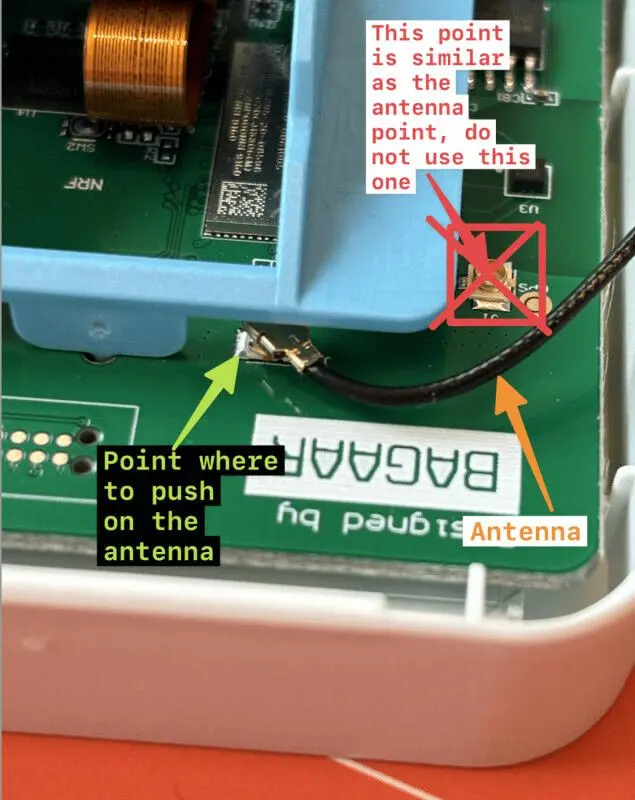
⚠️ Handle with care: the camera unit is fragile and simply rests in the blue plastic holder. Avoid applying too much pressure.Connect the antenna to the designated antenna point (see Picture 2 for reference).
Place the camera unit securely back into its correct position on the light blue plastic holder, then tighten the screws again — but do not overtighten.

Step 2 — Reinsert the SIM card
If reattaching the antenna doesn't resolve the issue, the SIM card may no longer be seated properly. You'll need a pair of tweezers for this step.
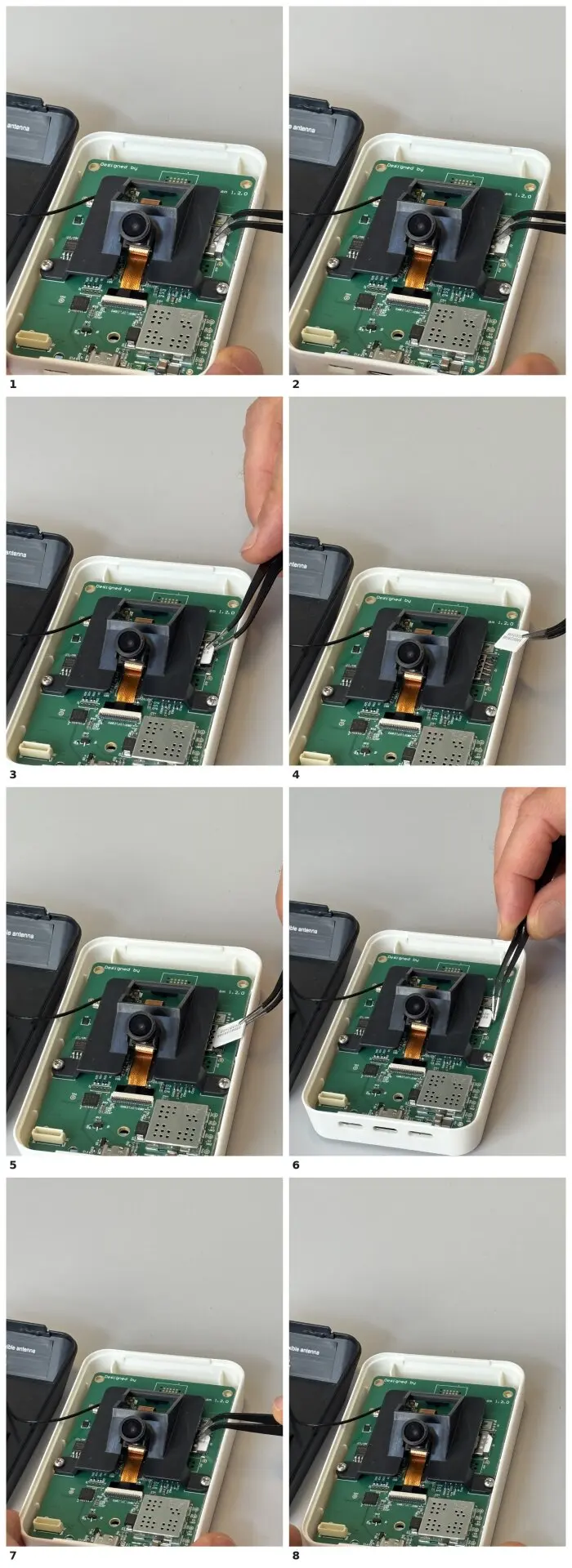
Push the metal bracket backwards to open the SIM card holder (photos 1–2).
Remove the SIM card (photos 3–4).
Reinsert the SIM card (photos 5–6).
Close the metal bracket again (photos 7–8).
Carefully close the white plastic box, reconnect the power, and check if the device is now functioning correctly.
Conclusion
If the device still shows no connection after both steps, this may point to a different underlying issue (e.g. network coverage, SIM activation, or a hardware fault) and should be escalated for further troubleshooting rather than repeating these steps. You can contact us at support@telraam.net to investigate your device further.
